The Fitness Doctor

System architecture

Learn how the TFD backoffice works, which context owns each responsibility, and where to start in the code. Follow the onboarding path first, then use the diagram categories as a reference for your task.

New to TFD? Start here

TFD centralizes internal staff operations: client profiles, program delivery, attendance, and follow-ups. The backend is a modular monolith: business contexts have explicit boundaries inside one application. Media workers run separately for specialized processing.

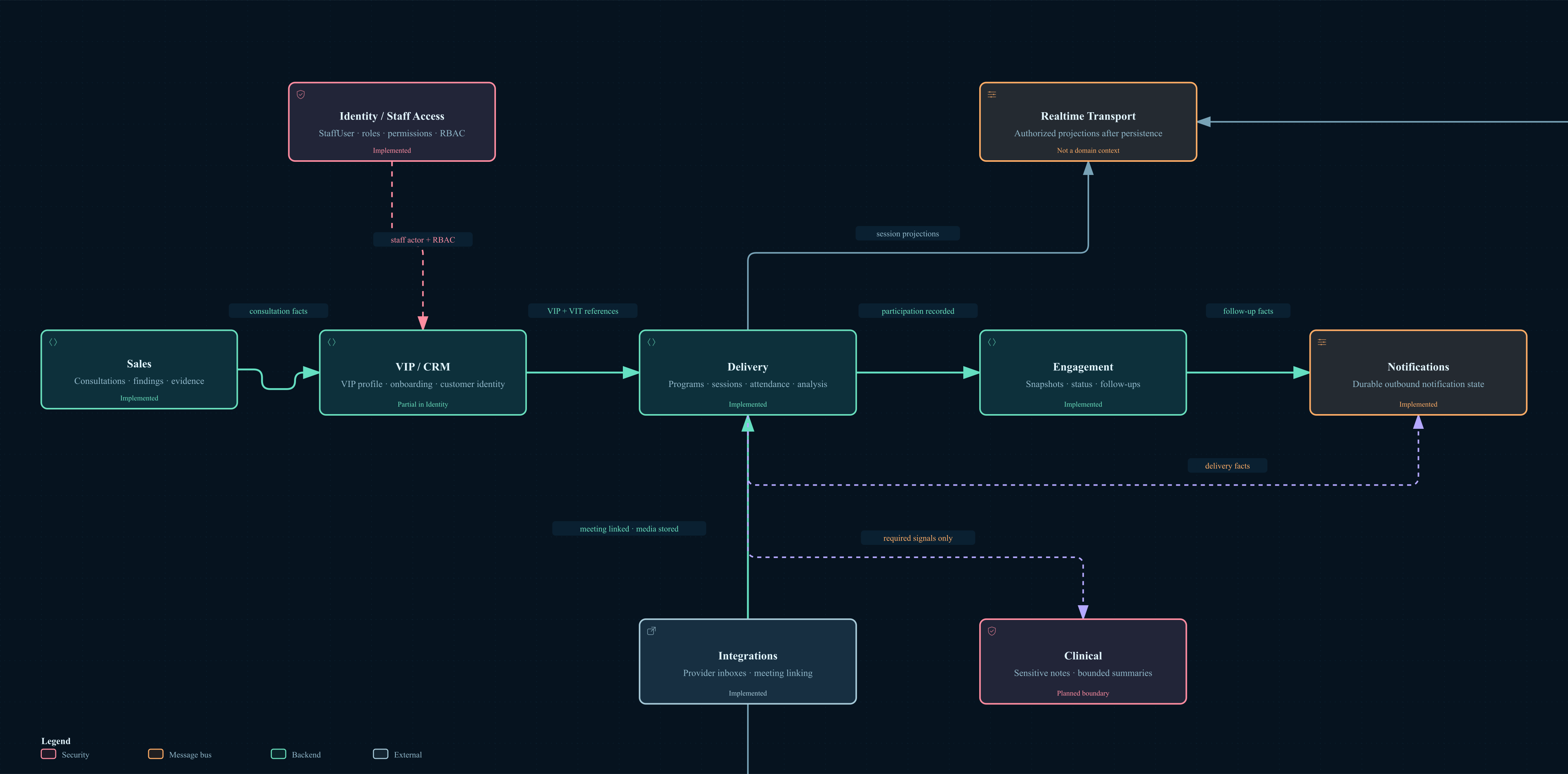
  1. Learn who owns what. Open Contexts and communication. Find the context responsible for your task and identify its public boundary.
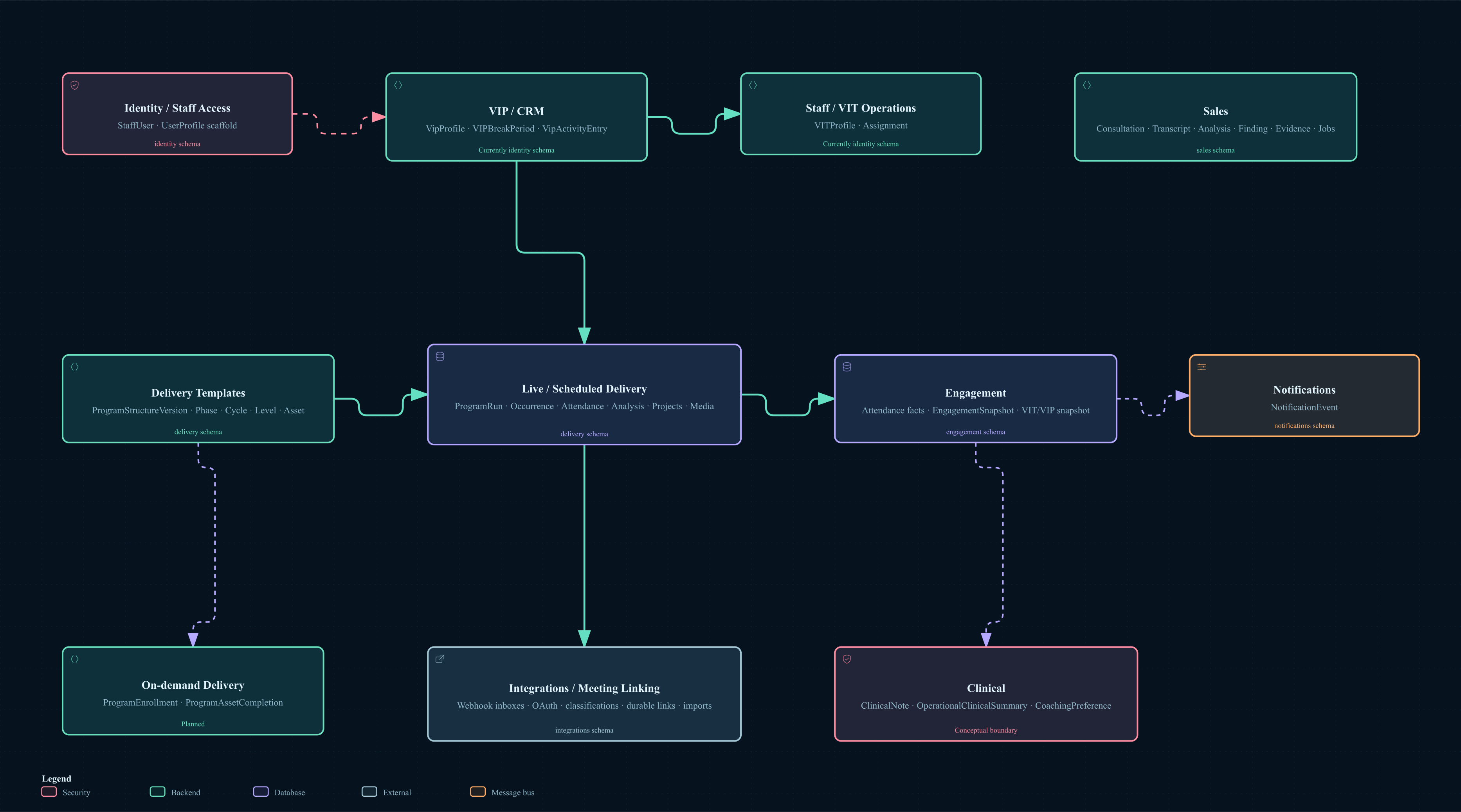
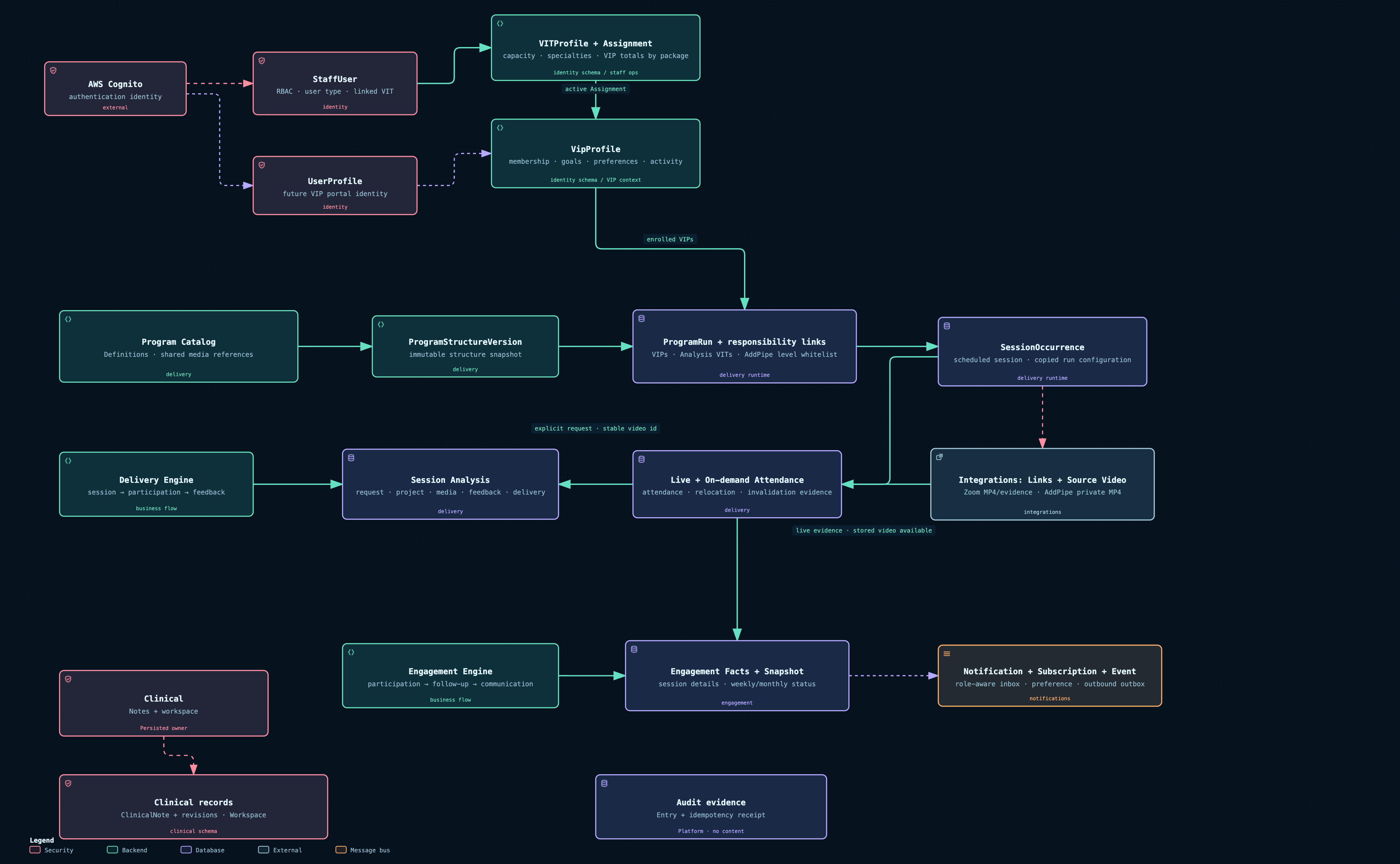
  2. Learn the business vocabulary. Open Entities by context, then Domain entity relationships. Locate the records involved and distinguish implemented entities from planned concepts.
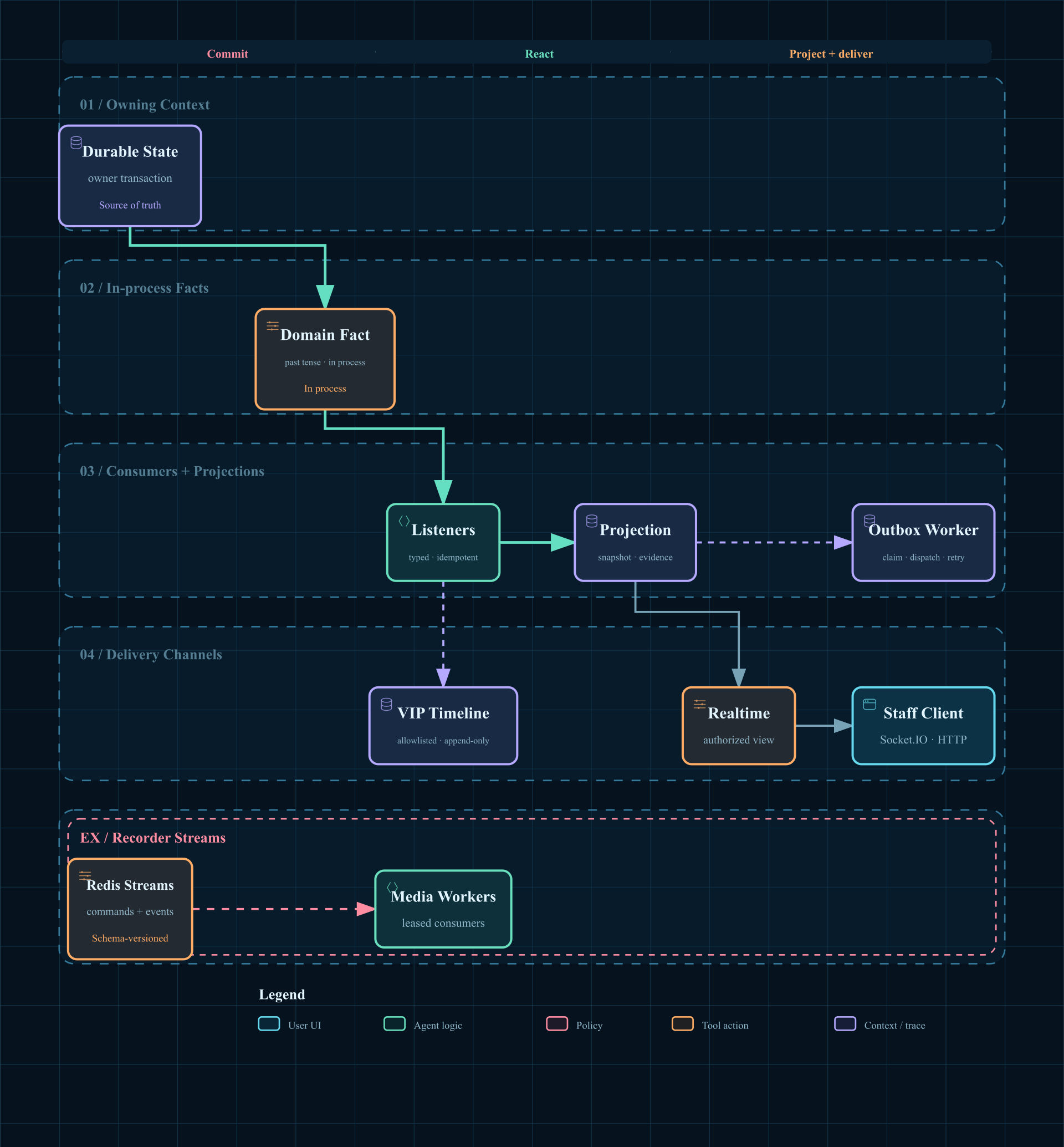
  3. Follow a change through the system. Open Cross-cutting flows and events. Trace save → publish fact → update projection → notify the authorized client. This is a shared mechanism; VIP and media paths are examples, not a complete workflow for each context.
  4. Find where it runs. Open Backoffice Runtime. Identify the API, stores, and workers your task touches. Consult Technology stack and Tools and services when you need layer or provider details.
  5. Connect the diagram to code. In your checkout, open docs/architecture/system-architecture/ONBOARDING.md for setup links, code entry points, a worked event trace, and checks for your first change.
Vocabulary you will encounter
VIP / VIT / StaffUser
VIPProfile represents a client; VITProfile holds operational coach or analyst data; StaffUser grants internal backoffice access. These are different responsibilities.
Context / public contract
A context owns a business responsibility and its data. Its public contract exposes supported operations to other contexts.
Fact / projection
A fact announces a completed change. A projection is a derived view, such as a timeline or inbox, built from those facts.
Realtime / source of truth
Realtime signals refresh authorized screens. Persisted owner state remains authoritative; a socket message is not the durable record.
How to read the diagrams

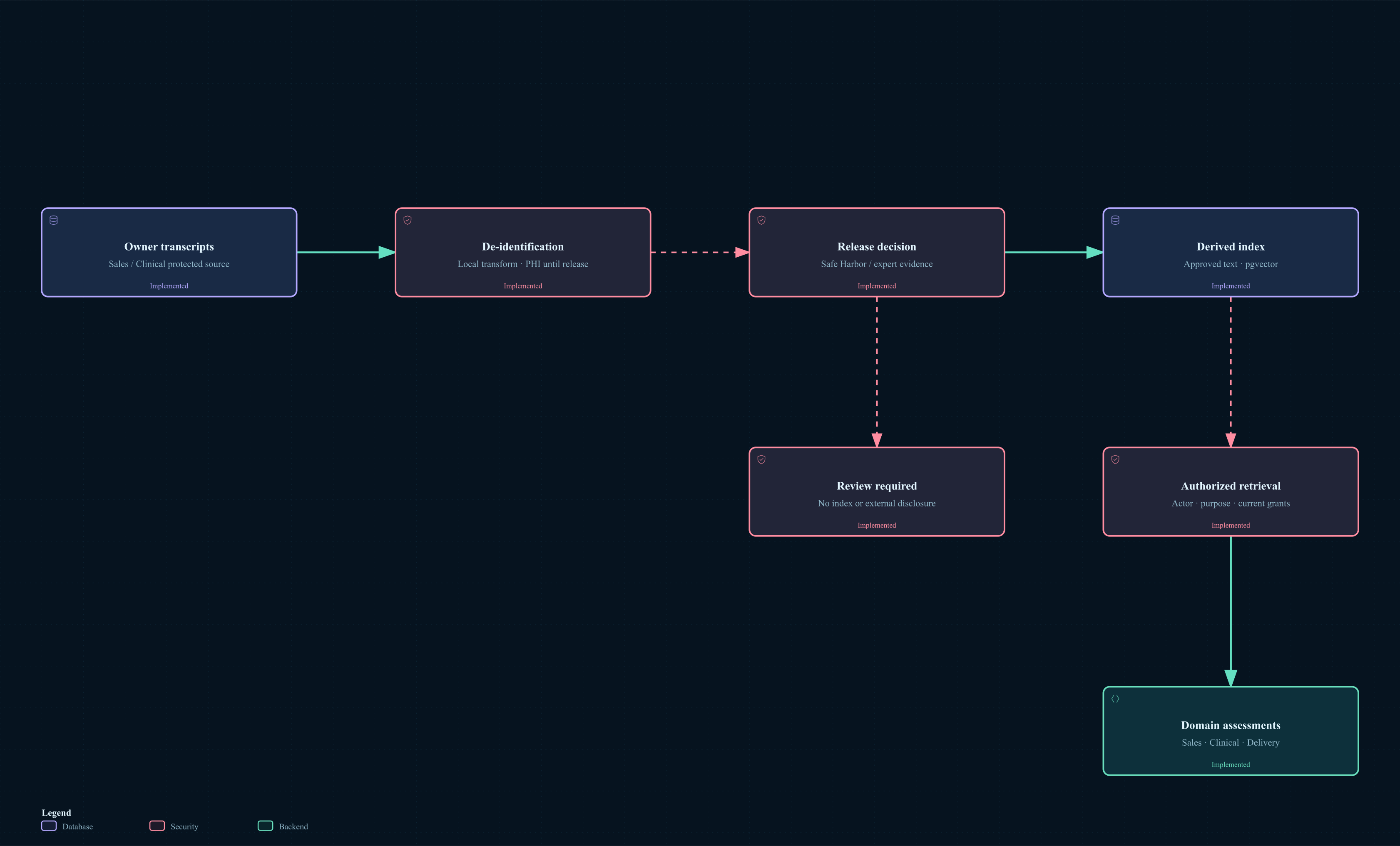
Use guided chapters where available, then click a node to inspect its details. Read arrow labels and each diagram's legend. Planned or conceptual labels describe intended design, not proof of working code; check the linked source and tests.

A business journey can cross several contexts and still be context-related. A cross-cutting flow explains a mechanism reused by many journeys.

Events inside the monolith are best effort across process termination. Durable media queues have their own recovery rules. Do not assume every arrow guarantees delivery.

Cross-cutting flows

Shared patterns that apply across business contexts. Start here to understand how changes propagate through the platform.

Cross-cutting flows and events

Shared event lifecycle: durable writes, projections, notifications, and authorized realtime. VIP activity and media processing illustrate the pattern.

Platform & infrastructure

The runtime, technologies, and external services that support the business contexts.
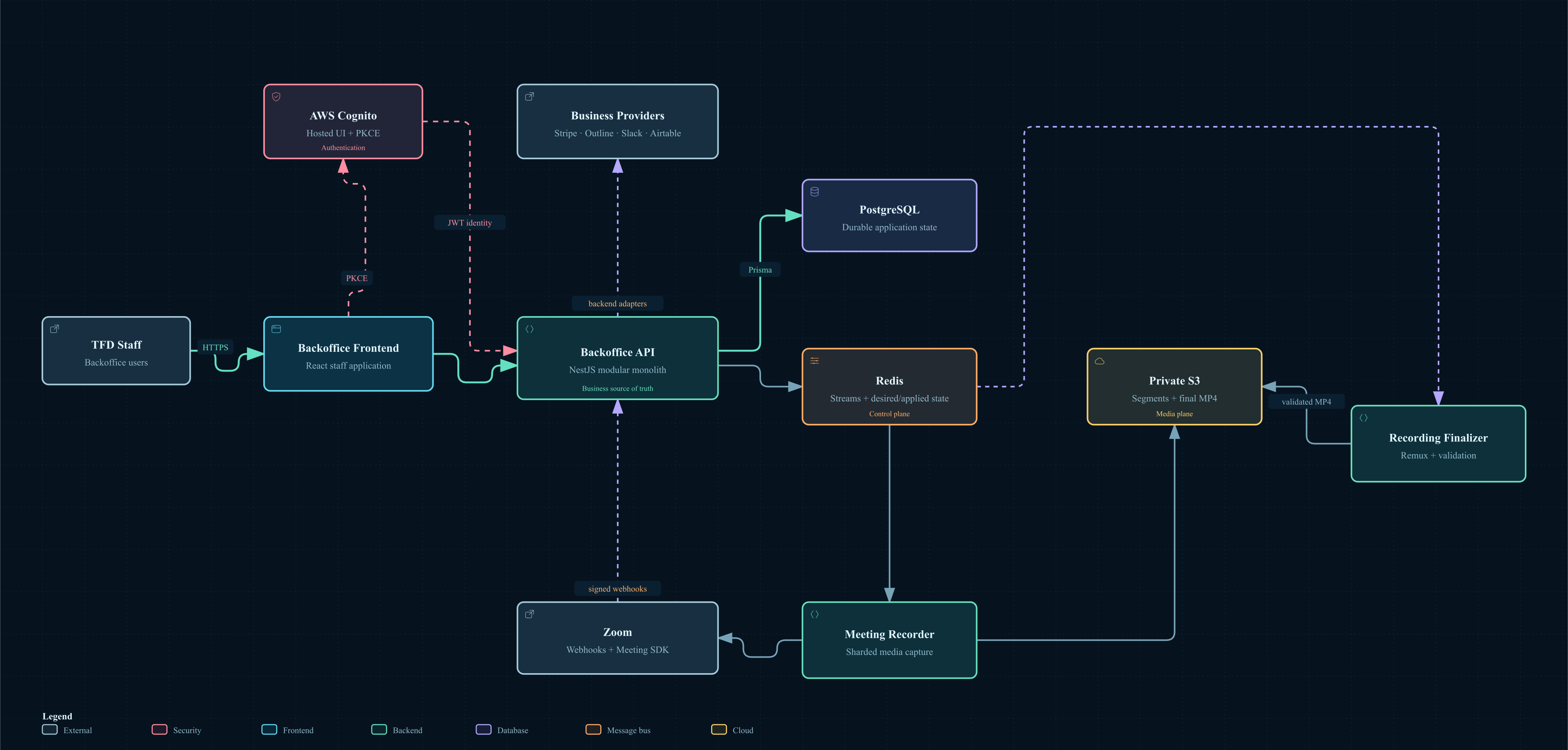
Backoffice Runtime

Runtime components, persistence, trust boundaries, and integrations.

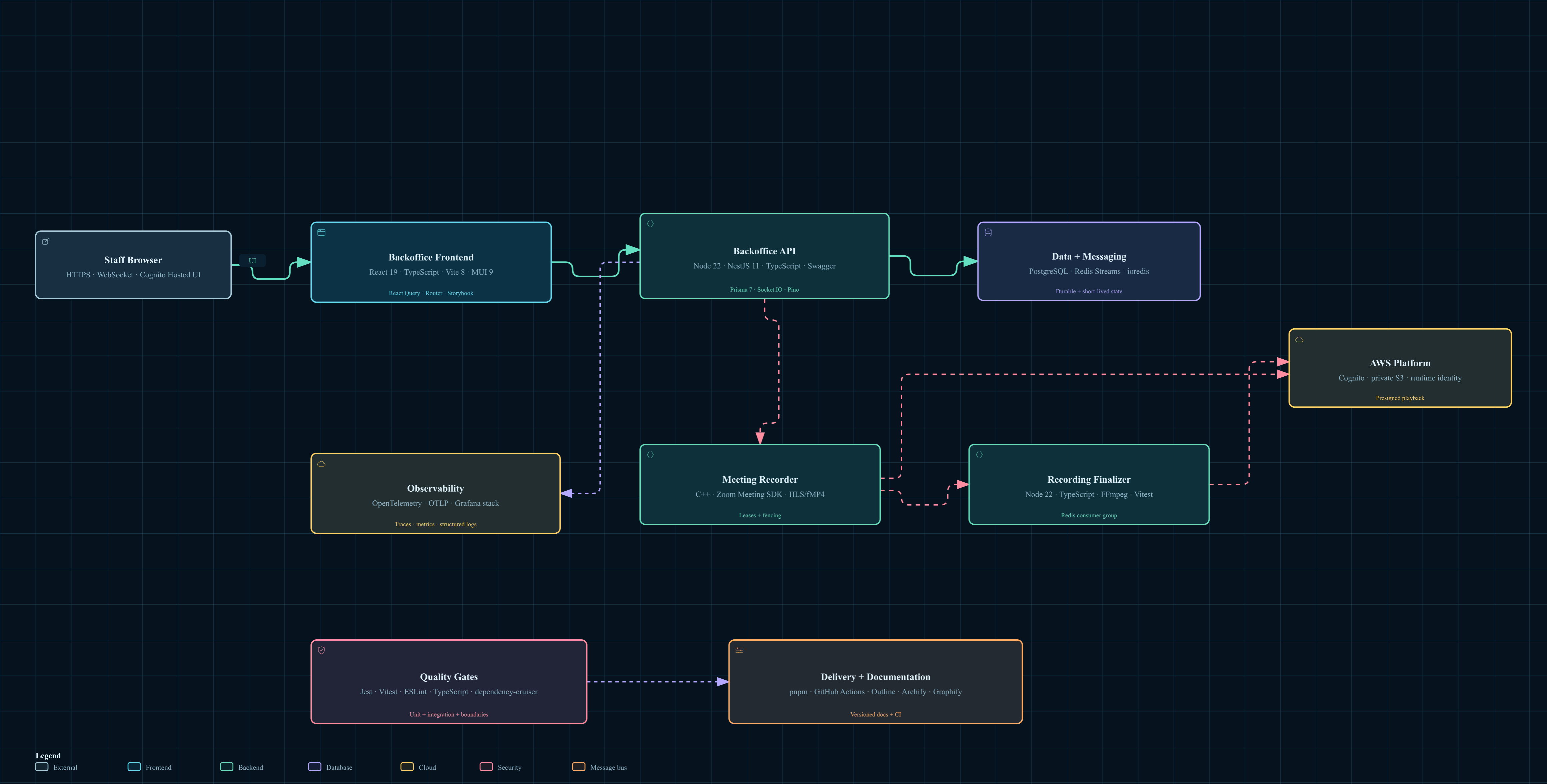
Technology stack

Technologies used by each platform layer and runtime component.

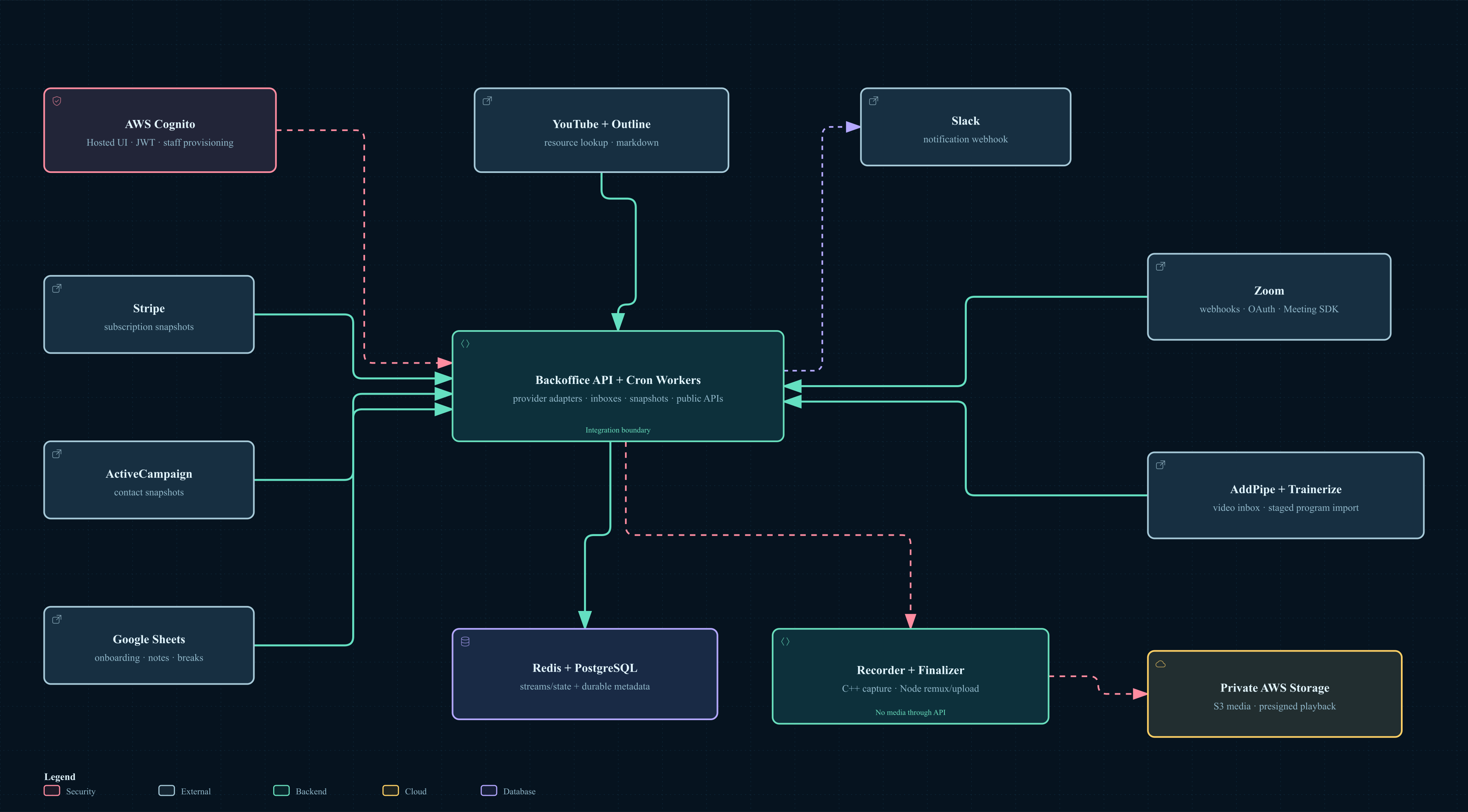
Tools and services

External dependencies, integrations, and the internal services that mediate each tool.